Hugo Ortega has been busy preaching the benefits of Tablet PC's ever since I introduced him to the wonderful technology last year.
He has now started blogging at UberTablet.
Great work Hugo, and welcome to the blogosphere.
Tuesday, January 24, 2006

Monday, January 02, 2006
New Wheels for new technology
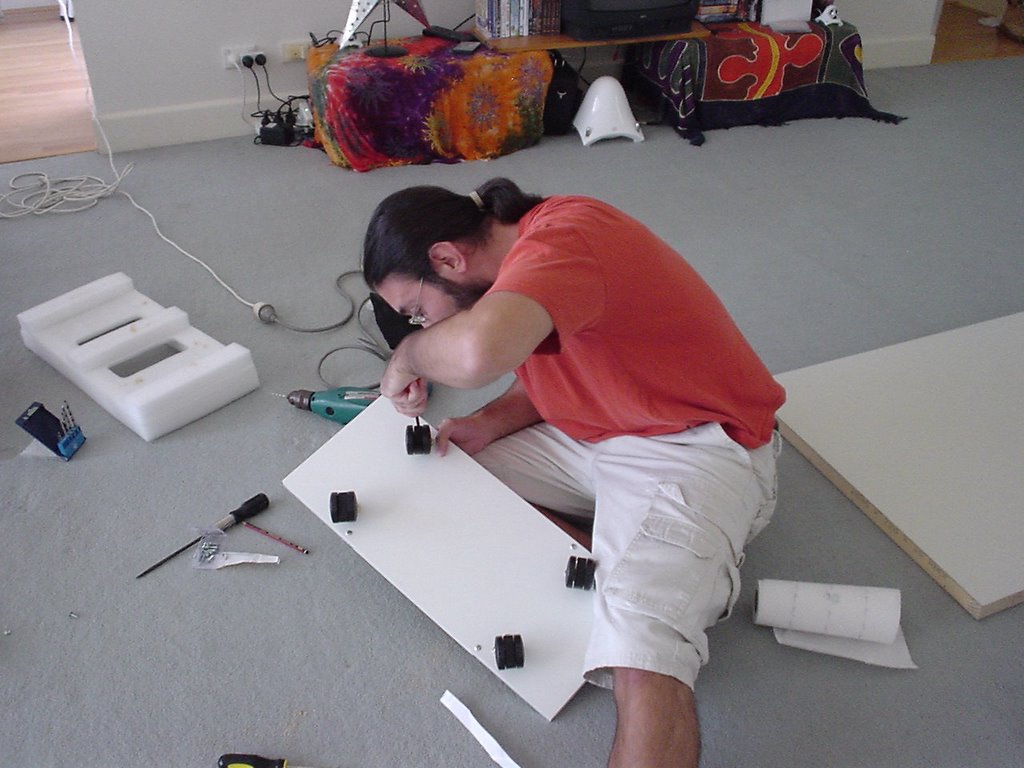
'tis the season to recieve new technology! One of my recent aquisitions has been a desktop PC to replace the 3 year old box that has been hidden under my desk. The new box is heavier and bigger than the previous one and I have had enough of messing around under my desk.
The plan a set of wheels for the new PC, essentially a skateboard for my PC. The parts; 1 shelf, 4 casters, 2 door handles a bunch of screws. The tools; a drill, a screwdriver, some elbow grease.
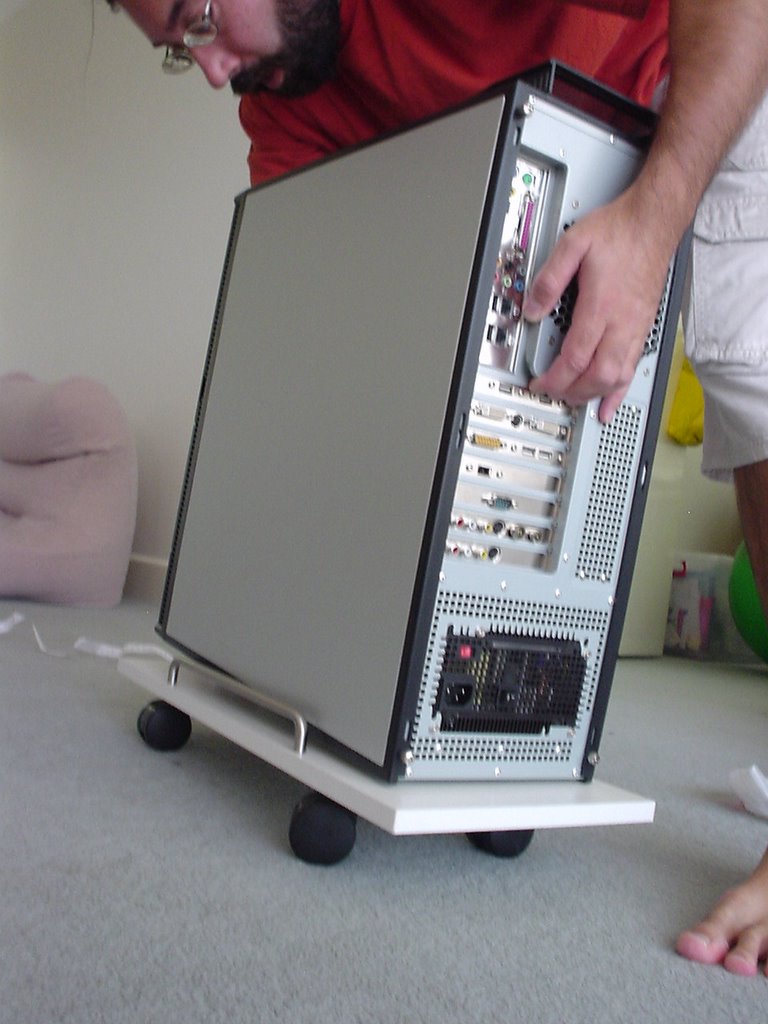
The results:


The plan a set of wheels for the new PC, essentially a skateboard for my PC. The parts; 1 shelf, 4 casters, 2 door handles a bunch of screws. The tools; a drill, a screwdriver, some elbow grease.
The results:

Friday, November 25, 2005
Tablet Guy has left the building
Tablet PC Guy decided to leave yesterday. He now has his own blog where you can follow his adventures.
Good luck Tablet PC Guy.
Good luck Tablet PC Guy.
Monday, November 21, 2005
The Desktop Goes Online with Goowy
If you want to waste some time and explore a possible future for the desktop check out Goowy.com
This is very cool. I love the streaming podcast feature, really neat.
I hope they produce some kind of API so 3rd party developers can start to produce content for Goowy.
This is very cool. I love the streaming podcast feature, really neat.
I hope they produce some kind of API so 3rd party developers can start to produce content for Goowy.
Saturday, November 19, 2005
Tablet Guy Goes Exploring

He has only been in Sydney for a day but already Tablet Guy has been getting out and about. He is obviously an adventurous kind of fellow.
Today he managed to hitch a ride on boat and take a trip across Sydney harbor.
Friday, November 18, 2005
Tablet Guy joins the party
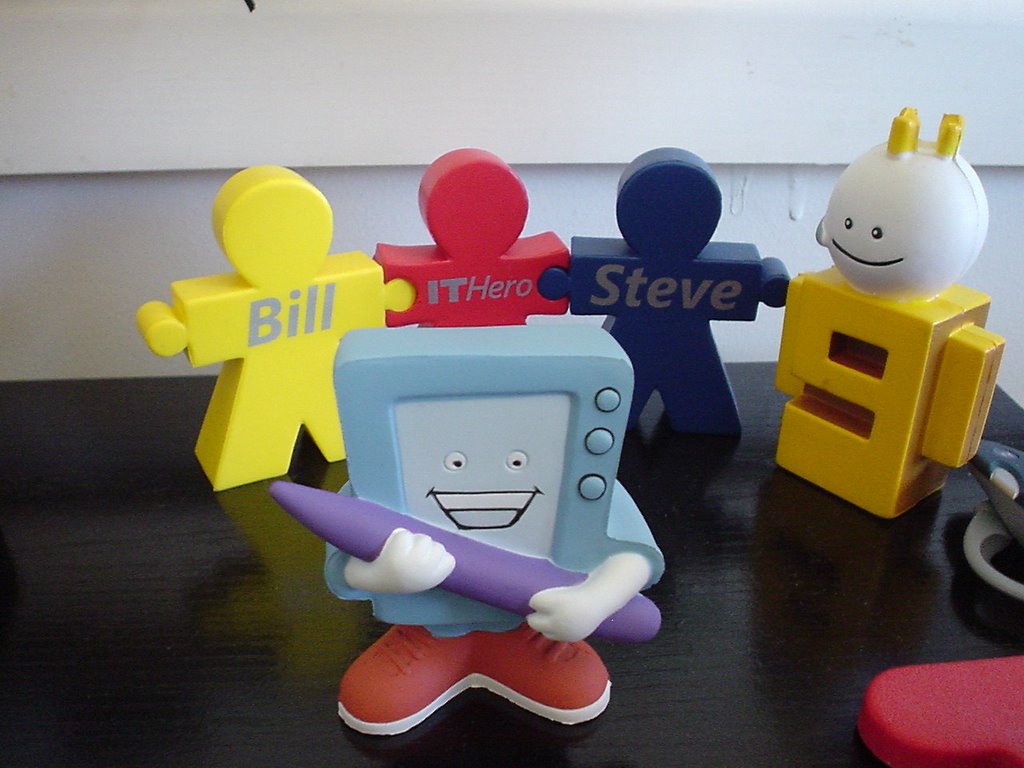 This morning a little foam chap knocked on my door asking if he could stay. All he had was the stylus he was holding in his hands. As I already have a few foam tenants next to my desk, I figured he could join them. He looked pretty happy to me.
I carried on with my work.
Imagine my surprise when I turned around and saw that he had started brawling with the other characters. Obviously the pen is mightier than I realised!
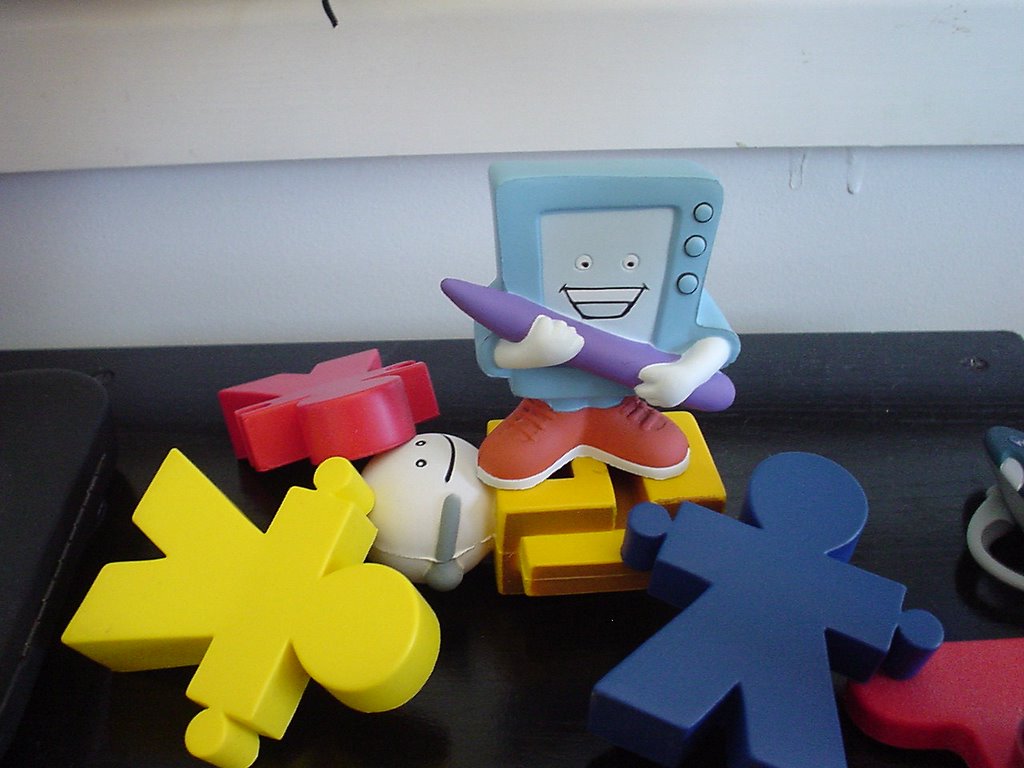 Tablet Guy is now grinning ear-to-ear as he has his own special place on the window sill.
Friday, November 11, 2005
Mobile PC development samples
Ever since MSDN released the Power Management and Network Location Awareness articles I wrote I have been recieving emails asking where the sample code can be found.
Well here are the links to the sample code applications
Network Location Awareness Sample
Power Management Sample
So now you have no excuse not to build applications that help extend battery life and also seemlessly work with multiple network connections.
Happy coding....
Well here are the links to the sample code applications
Network Location Awareness Sample
Power Management Sample
So now you have no excuse not to build applications that help extend battery life and also seemlessly work with multiple network connections.
Happy coding....
Tuesday, November 08, 2005
BEROCCA wakes you up in the morning - good for me - not so good for my PC
Waking up a little bleary eyed this morning I went to the kitchen and dropped a tablet of Berocca in a large glass of water and then went to sit down in front of my computer to check email.
Fizzing away I starting checking my email...
In a less than full awake state I reached out for a Tablet stylus and knocked my glass of Berroca over. Spilling all over the desk and down the back onto the power sockets, Fizzzzzzzzzzz,
Arrggghhhhh!!!!!
Everything went dark.
PANIC!
I was awake now! I moved fast to unplug everything, grabbed some cloths and started mopping up.
Lucky for me the power for the entire home was tripped off and nothing seems to have been damaged.
So the food and drink rule is now back in full force, no food or drink near the computer!
Fizzing away I starting checking my email...
In a less than full awake state I reached out for a Tablet stylus and knocked my glass of Berroca over. Spilling all over the desk and down the back onto the power sockets, Fizzzzzzzzzzz,
Arrggghhhhh!!!!!
Everything went dark.
PANIC!
I was awake now! I moved fast to unplug everything, grabbed some cloths and started mopping up.
Lucky for me the power for the entire home was tripped off and nothing seems to have been damaged.
So the food and drink rule is now back in full force, no food or drink near the computer!
Sunday, November 06, 2005
KinetiSketch
In the endless quest of avoiding doing any real work I came accross this really cool project called K-Sketch. The aim is to simplify creation of animations using Tablet PC technology. Check out the video. I would love to have a play with this.
Saturday, October 15, 2005
TDD: Microsoft is close but no cylindrical smoking thing!
MSDN has a page entitled Guidelines for Test-Driven Development
It has steps for getting going with TDD that state:
1. Define the requirements of your application.
2. Familiarize yourself with the feature areas of your application, and decide on a single feature, or the requirements of a feature, to work on.
3. Make a list of tests that will verify the requirements. A complete list of tests for a particular feature area describes the requirements of that feature area unambiguously and completely.
4. File work items for feature requirements and for the tests that need to be written.
5. In Visual Studio, create a project of the type you want. Visual Studio supplies the initial production code in the form of files such as Class1.cs, Program.cs, and Form1.cs, depending on the project type.
6. Define the interfaces and classes for your feature or requirement. You can add a minimum of code, just enough to compile. Consider using the Class Designer to follow this step. For more information, see Designing Classes and Types.
Note
The traditional TDD process does not contain this step. Instead, it advises that you create tests first. This step is included here so that, while creating tests, you can take advantage of two features in Visual Studio 2005 Team System: the GUI design capabilities of the Class Designer, and the automatic test-generation capabilities of Team Edition for Testers.
7. Generate tests from your interfaces and classes. For more information, see How to: Generate a Unit Test.
8. Compare the tests that have been generated with the list of tests you prepared in step 3. Create any tests that are missing from the list you wrote in step 3. For more information, see How to: Author a Unit Test.
it goes on...
While they do bother to make the note about traditional TDD, they are missing out on several major benefits of TDD:
• TDD is design as you go.
• When you use TDD the interfaces and classes you create emerge as an outcome of writing the tests. This helps to keep the code as simple as possible.
• TDD is about writing one test at a time to DRIVE the DEVELOPMENT of the code. This way the developer does not attempt to predict how the code (interfaces+classes) will look when finished, rather code that passes the tests will be written and refactored as needed.
It has steps for getting going with TDD that state:
1. Define the requirements of your application.
2. Familiarize yourself with the feature areas of your application, and decide on a single feature, or the requirements of a feature, to work on.
3. Make a list of tests that will verify the requirements. A complete list of tests for a particular feature area describes the requirements of that feature area unambiguously and completely.
4. File work items for feature requirements and for the tests that need to be written.
5. In Visual Studio, create a project of the type you want. Visual Studio supplies the initial production code in the form of files such as Class1.cs, Program.cs, and Form1.cs, depending on the project type.
6. Define the interfaces and classes for your feature or requirement. You can add a minimum of code, just enough to compile. Consider using the Class Designer to follow this step. For more information, see Designing Classes and Types.
Note
The traditional TDD process does not contain this step. Instead, it advises that you create tests first. This step is included here so that, while creating tests, you can take advantage of two features in Visual Studio 2005 Team System: the GUI design capabilities of the Class Designer, and the automatic test-generation capabilities of Team Edition for Testers.
7. Generate tests from your interfaces and classes. For more information, see How to: Generate a Unit Test.
8. Compare the tests that have been generated with the list of tests you prepared in step 3. Create any tests that are missing from the list you wrote in step 3. For more information, see How to: Author a Unit Test.
While they do bother to make the note about traditional TDD, they are missing out on several major benefits of TDD:
• TDD is design as you go.
• When you use TDD the interfaces and classes you create emerge as an outcome of writing the tests. This helps to keep the code as simple as possible.
• TDD is about writing one test at a time to DRIVE the DEVELOPMENT of the code. This way the developer does not attempt to predict how the code (interfaces+classes) will look when finished, rather code that passes the tests will be written and refactored as needed.
Thursday, October 13, 2005
Dave Glover: How to Globalise/Internationalise Dates and Numbers using the Compact Framework
I was chatting to Dave Glover from the Australian Microsoft team on MSN IM last night. He built this cool conversion app for the Smartphone. Some of the people who were downloading it in France were having some issues. I thought the issue was a globalisation issue and Dave figured out the rest: How to Globalise/Internationalise Dates and Numbers using the Compact Framework
Saturday, October 08, 2005
Becoming Agile: How TDD improves development speed and is very cost effective
A common misconception is that test driven development will take longer and cost more.
Dan has a go at answering this on his blog .
A good read.
Becoming Agile: How TDD improves development speed and is very cost effective
Dan has a go at answering this on his blog .
A good read.
Becoming Agile: How TDD improves development speed and is very cost effective
Tuesday, October 04, 2005
Windows SideShow
Windows SideShow is a new technology that will be shipping as part of Windows Vista. It enables hardware to support auxiliary displays whose contant can be defined in Windows Vista software.
SideShow is a project I helped out on by reviewing the APIs and building some sample code. Some of that sample code has been morphed into the examples that will ship with the Windows Vista Platform SDK.
I am looking forward to getting my first machine that supports SideShow.
SideShow is a project I helped out on by reviewing the APIs and building some sample code. Some of that sample code has been morphed into the examples that will ship with the Windows Vista Platform SDK.
I am looking forward to getting my first machine that supports SideShow.
Monday, October 03, 2005
New Forums section on ViaVirtualEarth
We have just launched a new section on the ViaVirtualEarth site to help developers communicate about building with VirtualEarth - check it out.
Saturday, September 17, 2005
Microsoft Professional Developer of the Year?
Recently sited this developer is believed to be an imposter.
A fairly good disguise, but the hair gives him away!
A fairly good disguise, but the hair gives him away!
Thursday, September 15, 2005
Channel 9 Video
Last month I dropped by Robert Scoble's office and we had a chat about what I've been doing around Microsoft's campus for a couple of weeks. You can see the video Robert took here http://channel9.msdn.com/Showpost.aspx?postid=113881
Monday, September 12, 2005
Where is PDC 2005?
I have built a little site using Virtual Earth to help PDC attendees find their way between hotels and the convention center.
http://viavirtualearth.com/PDC/PDC2005.htm
Want to build your own Virtual Earth page?
Check out all the cool things going on at ViaVirtualEarth.
http://viavirtualearth.com/PDC/PDC2005.htm
Want to build your own Virtual Earth page?
Check out all the cool things going on at ViaVirtualEarth.
Friday, August 19, 2005
Monday, August 15, 2005
PDC - will you be where?
I will be at PDC this year.
Where is PDC this year? It is here.
Thanks to Paul Neeve for building such an awesome Flash app that sucks data from Virtual Earth.
Where is PDC this year? It is here.
Thanks to Paul Neeve for building such an awesome Flash app that sucks data from Virtual Earth.
Tuesday, August 02, 2005
Visual Studio 2005 and Windows Vista
I know I should not be pushing the limits by trying to use a beta development tool on a beta operating system! Sometimes life requires a few little trials and this is one of them.
If you have a few issues with getting it installed you should have a look at this: http://forums.microsoft.com/msdn/ShowPost.aspx?PostID=64277
Oh and one more thing if you try this at home...
Good Luck :)
If you have a few issues with getting it installed you should have a look at this: http://forums.microsoft.com/msdn/ShowPost.aspx?PostID=64277
Oh and one more thing if you try this at home...
Good Luck :)
Subscribe to:
Posts (Atom)


